

An instrument for your hands.
FoxBox Strings turns your webcam into an instrument. Curve, curl, pluck. Always in key, and it all runs on your Mac.
For macOS 14+ on Apple silicon, with a camera.
Hold up your hands. That's the instrument.
No controller. A webcam and ten fingers, always in key.
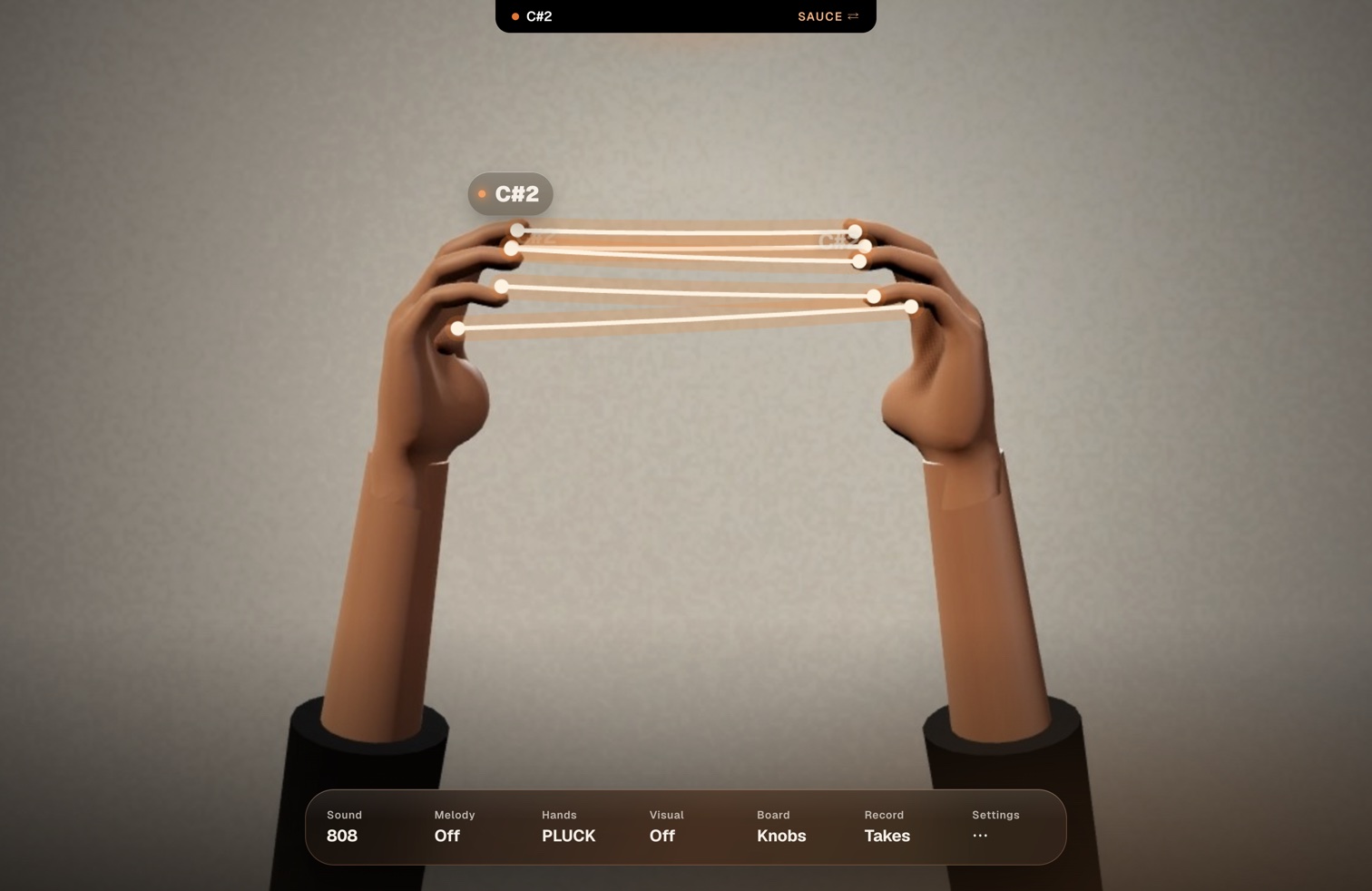
Curve your hands into a C.
Turn them a little toward the camera. Strings of light stretch between your fingertips.
Raise a hand to pick a note. Curl a finger to pluck.
Always in key. The note pops at your fingertip.
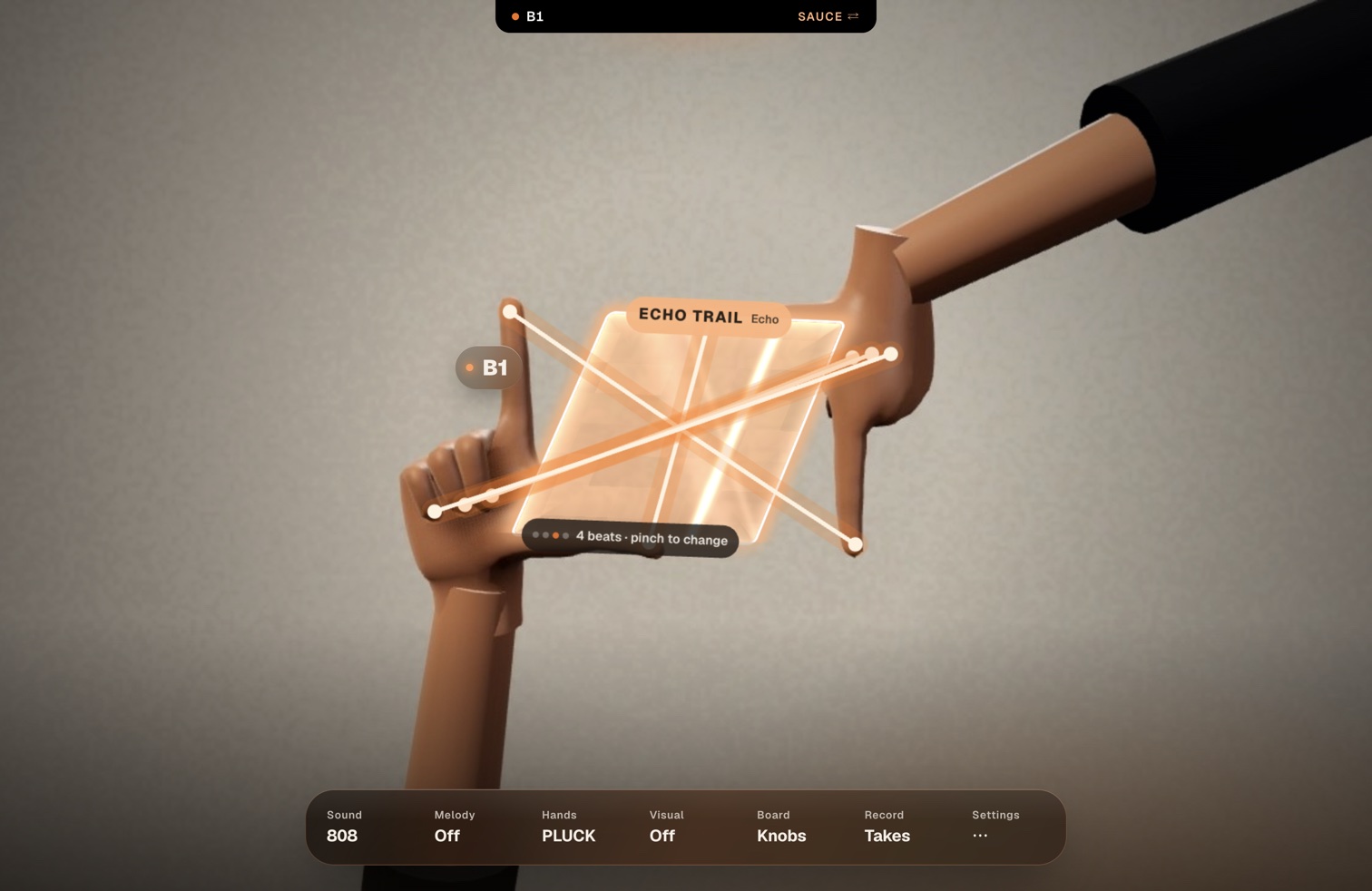
Make a frame.
The last 4 beats loop inside your hands. Pinch to change the effect. Turn your hands over for the flip side.
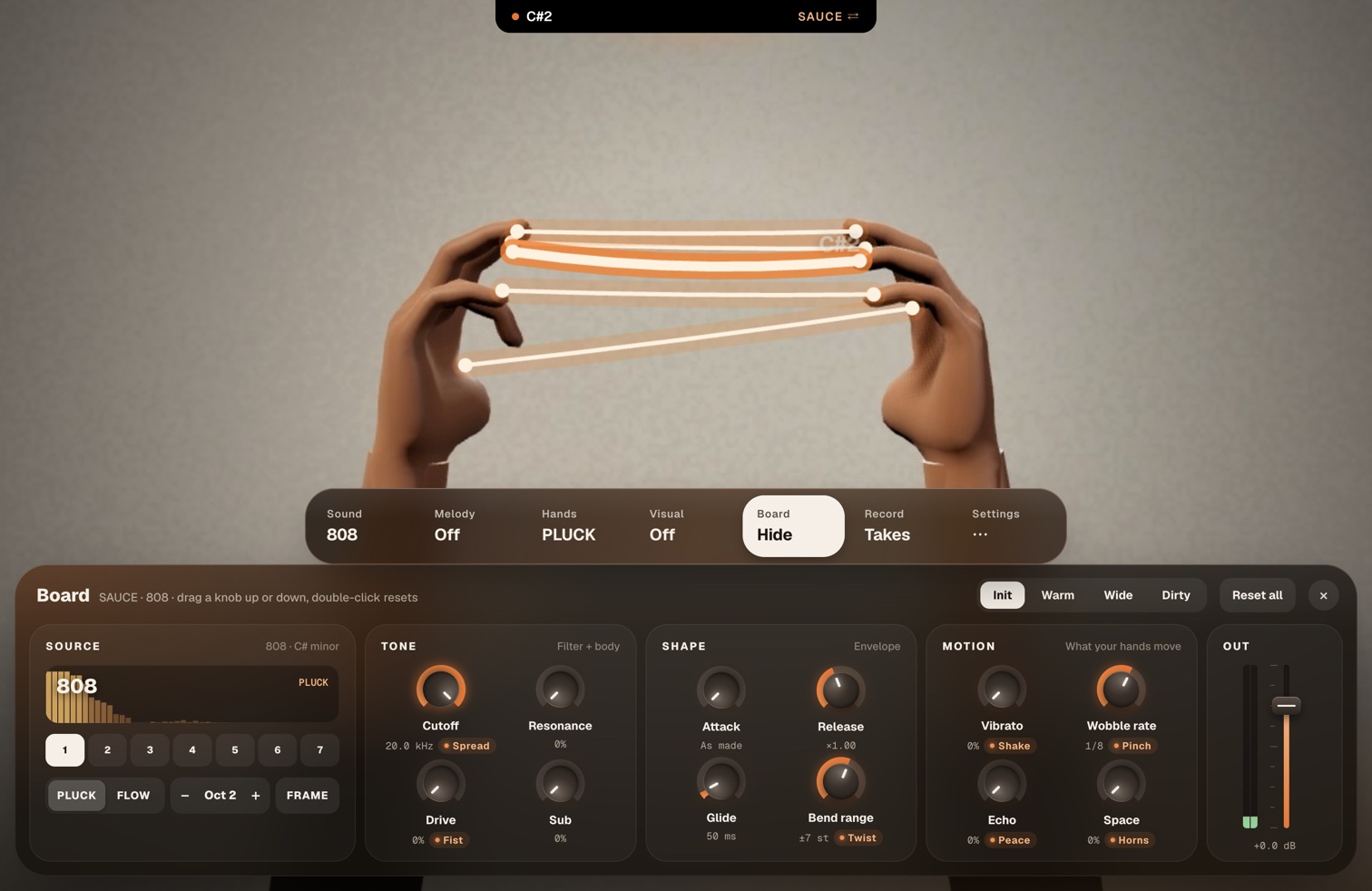
Bass
808 · Reese · Growl · WobbleMelody
Pluck · Lead · KeysPlay
Pluck, or Flow like a thereminHold a shape for its effect. Remap any shape.
Move to play it.
Twist to bend. Shake for vibrato. Point up or down for the octave.
Melody presets.
Follow plays the preset's next note with each pluck. Fit keeps you in its notes. 🎲 rolls a new one.
Record a take.
Drag the WAV straight into Ableton.
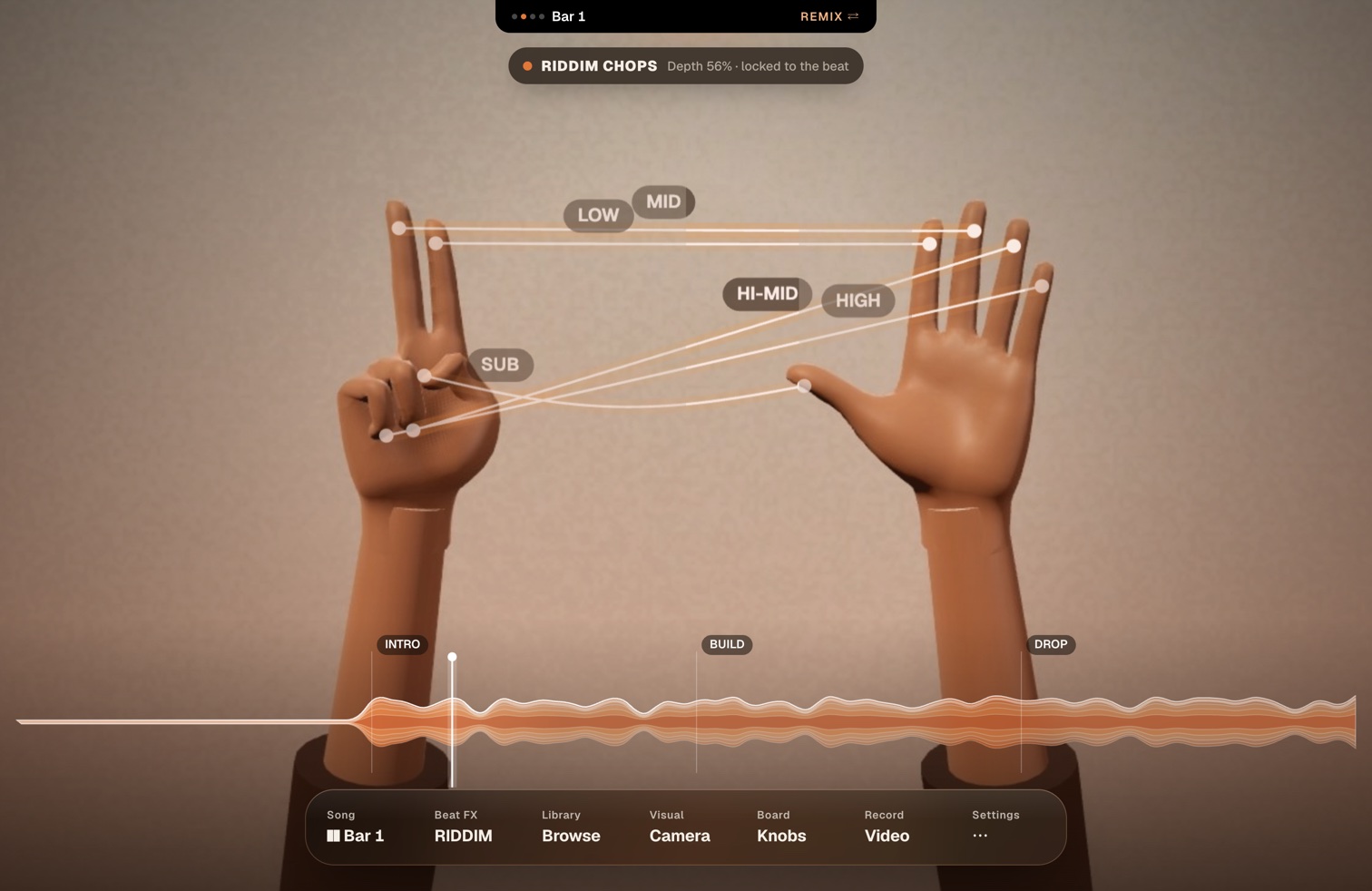
Fold a finger to cut a band.
Jump to any section on the bar.
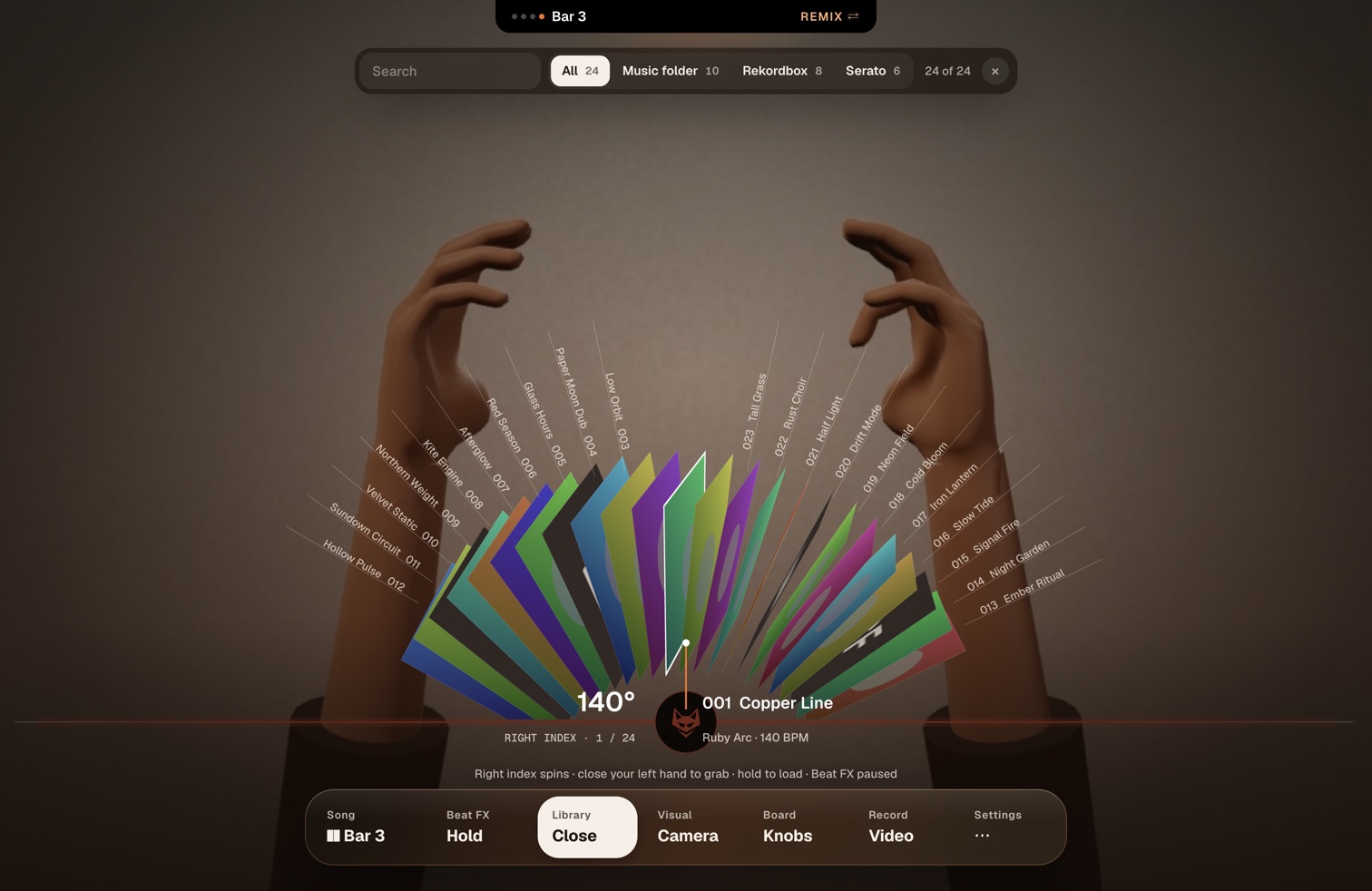
The library wheel.
Hold 🤙 to spin through your music folder, Rekordbox (XML export) or Serato library with one finger. Grab to preview, hold to load.
Coming in 2.1: FoxBox for Ableton Live.
Play any synth with your hands. FoxBox sends MIDI (plucks are notes, your hands move knobs) to a FoxBox device in Ableton Live that you install from the app in one click, or to any DAW through the FoxBox MIDI port. Ableton Link keeps the tempo in sync, and every take can save a .mid.
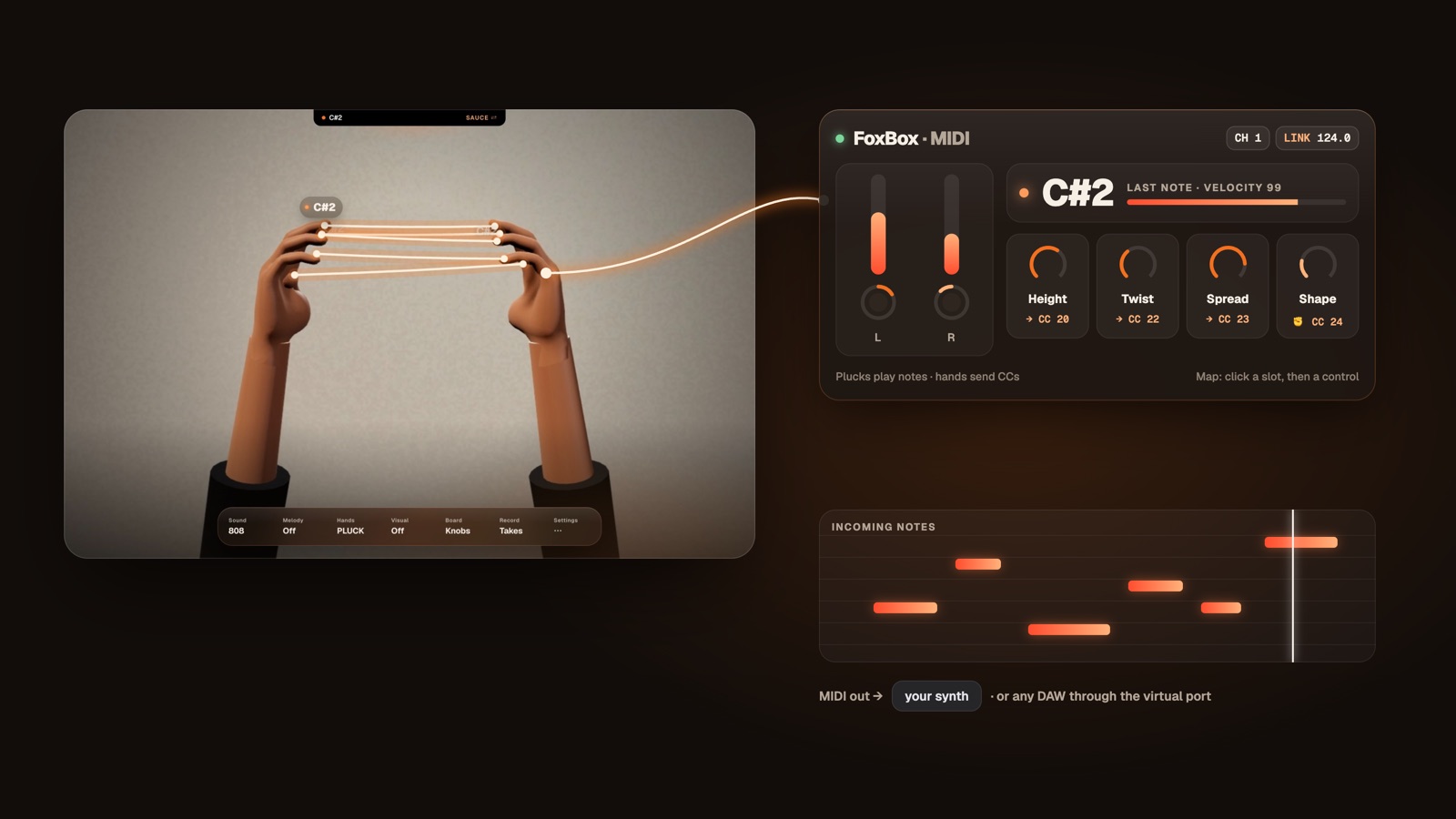
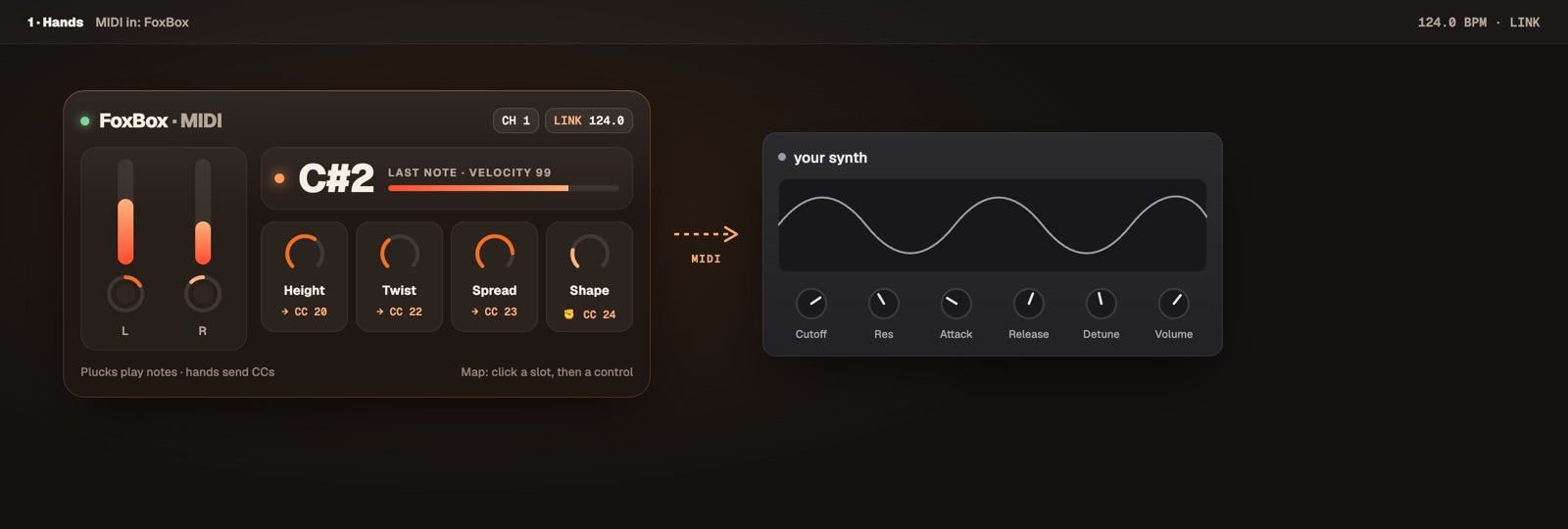
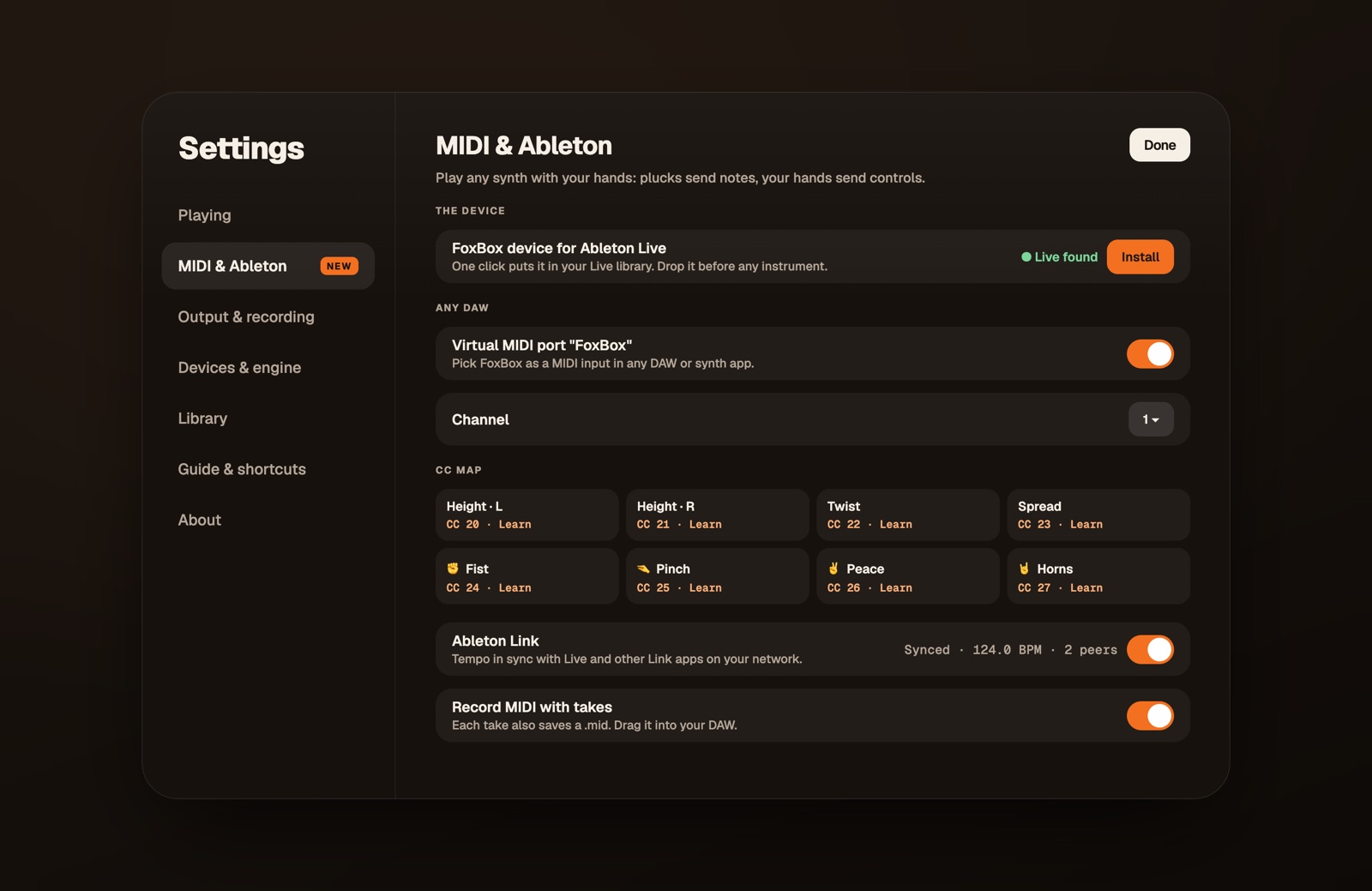
Coming in 2.1.
The Live device needs Live Suite or Max for Live.
Made for your Mac. It stays there.
On-device.
Your camera and your songs never leave your Mac.
Requirements.
macOS 14+ and Apple silicon, plus a camera.
Updates.
Free, and built in.
Open source.
Strings is GPL-3.0. Read the source.
Questions.
Do I need a MIDI controller?
No. Just your hands and a webcam.
Which hand shapes?
They're all in the Strings guide.
Does it work with Rekordbox and Serato?
Yes. The library wheel browses your Rekordbox (XML export) and Serato libraries, plus any music folder.
Where's the old FoxBox toolkit?
Studio, Visuals and Masks live on in FoxBox 1.5.5 on GitHub.
The other fox. FoxBox Voice.
Type a line or record yourself, and get a finished vocal for your track. Free beta, by invite.